
A practical introduction to building and running a shipbuilding schedule in Microsoft Project — task hierarchy and dependencies, resources and costs, baselines and progress tracking, and how to share a live schedule with owners and class without handing out an MS Project licence — with a downloadable master schedule template.
Despite two decades of newer scheduling platforms, Microsoft Project remains the working standard on the vast majority of shipbuilding projects — not because it is the most modern tool available, but because it is the one every planning engineer, owner’s representative and classification-society reviewer already knows how to read. A .mpp file is still the default currency exchanged between yard, owner and subcontractors at contract kick-off. What separates a schedule that actually controls a newbuild project from one that is quietly ignored after the first progress meeting is not the software — it is how the file is structured, baselined and reported.
1. Why MS Project Remains the Standard
Class societies, owners’ representatives and yards all exchange schedules as native .mpp files because the format preserves task logic, dependencies, calendars and baselines exactly — something a static PDF Gantt chart cannot do. It also integrates cleanly with the WBS-based cost and progress structures already common in shipbuilding (see Creation of WBS and BOQ in Ship Newbuilding Projects), and its resource-leveling and critical-path engine, while not glamorous, is mature and predictable — qualities that matter far more than novelty on a multi-year contract with real commercial consequences for a missed delivery date.
2. Building the Schedule Structure
2.1 A WBS-Aligned Task Hierarchy
The single most common mistake in a newbuild schedule is a task list that does not mirror the project’s WBS. When the schedule’s summary tasks match the same block/zone/system breakdown used for cost, procurement and progress reporting, every other control process — EVM, material tracking, subcontract payment milestones — can reference the same task IDs instead of maintaining a separate mapping. Retrofitting this alignment mid-project is expensive; it is far cheaper to set the outline structure correctly before the first task is dated. Our downloadable Newbuild Master Schedule template starts from exactly this kind of WBS-aligned outline, pre-built with the contractual milestones and typical phase structure described below.
2.2 Milestones That Matter
A shipbuilding schedule is anchored by a small number of contractual milestones — contract signing, steel cutting, keel laying, launch, and delivery — each usually tied to a payment instalment. These should be modelled as true zero-duration milestone tasks with their own dependency logic, not just labelled dates sitting inside a summary bar, so that a schedule slip anywhere upstream automatically recalculates their forecast date rather than requiring someone to notice and update them by hand.
2.3 Dependencies and the Critical Path
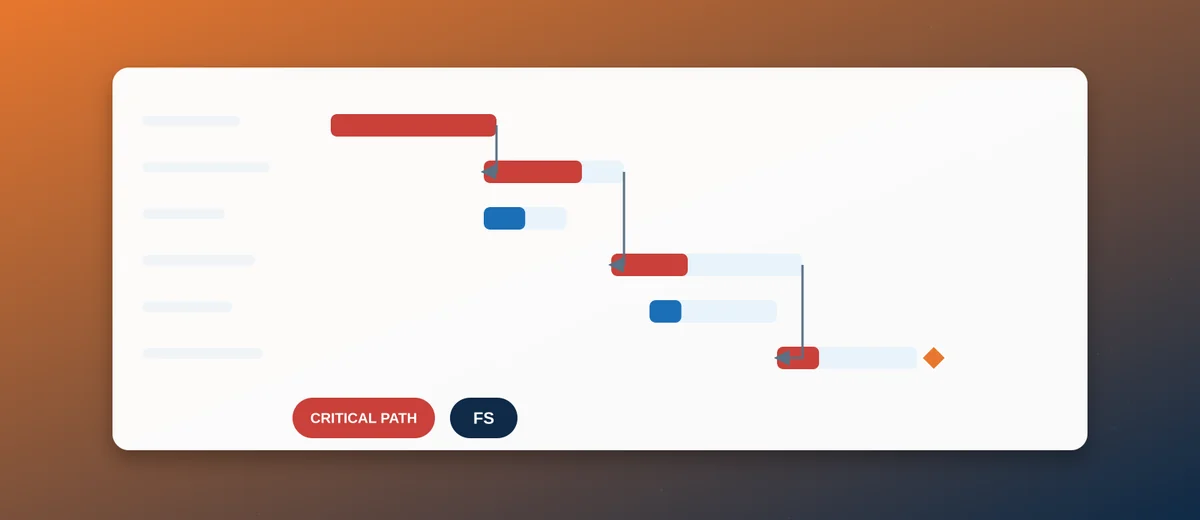
MS Project’s critical-path calculation is only trustworthy if task links are built with real predecessor/successor logic (Finish-to-Start, Start-to-Start with lag, etc.) rather than dates typed in by hand. A schedule built on typed dates looks correct on the day it is issued and becomes silently wrong the moment any single task moves — the classic sign of this failure mode is a critical path that never changes no matter how badly a project slips. For the logic behind sequencing hull construction itself, see Hull Block Construction Sequencing and Critical Path Management.
3. Resources and Costs
3.1 Work, Material and Cost Resources
MS Project’s three resource types map naturally onto shipyard reality: Work resources for labour (welders, pipefitters, engineers, by trade or crew), Material resources for consumed quantities (steel tonnage, cable metres, paint litres), and Cost resources for lump-sum items that don’t vary with duration (major equipment purchase orders, class fees). Keeping these types distinct — rather than forcing everything through generic work resources — is what makes the resource-cost roll-up in the schedule actually usable for budget tracking.
3.2 Resource Leveling in a Multi-Vessel Program
Yards building sister vessels or running several contracts concurrently quickly hit the real constraint: not task logic, but a finite pool of welders, pipefitters and crane time shared across projects. MS Project’s leveling engine can resolve over-allocations automatically, but it works best applied to a small set of genuinely constrained resource pools (key trades, critical crane/dock slots) rather than every resource in the file — over-leveling a schedule tends to push dates out further than the real-world constraint actually requires.
4. Baselines and Progress Tracking
4.1 Setting and Protecting the Baseline
The baseline is the contractual reference the entire project will be measured against, and it should be set once the schedule is fully logic-linked and resource-loaded — not before. MS Project supports up to 11 baselines (Baseline, Baseline 1–10), which is enough to preserve the original contractual baseline permanently while still capturing an interim baseline after a major approved change order, without losing the ability to compare current performance against where the project started.
4.2 Updating % Complete and Actuals
Progress should be updated on a fixed cycle (weekly is typical) using a consistent method — ideally the same milestone-weighted or units-complete logic used for earned value reporting (see Earned Value Management in Shipbuilding), rather than a foreman’s rough percentage typed straight into the field. Actual Start, Actual Finish and % Complete together drive MS Project’s own variance calculations, and inconsistent update habits are the most common reason a schedule’s reported status stops matching reality.
4.3 Reading Baseline vs Actual
The Tracking Gantt view, showing baseline bars beneath current bars, is the fastest way to see where a schedule has actually drifted rather than where it merely feels behind. A consistent pattern of small early slips across many tasks is usually more dangerous than one large, visible slip on a single task — the small slips rarely trigger a conversation individually, but they compound into a late delivery date exactly the same way.
5. Views and Reporting for Different Stakeholders
5.1 Gantt Chart View for the Planning Team
The full Gantt Chart view with the outline expanded, critical path highlighted and baseline bars visible is the working view for the planning department — too dense and too honest, deliberately, for most external audiences.
5.2 Timeline and Summary Views for Owner/Class Presentations
A rolled-up Timeline view or a summary-level Gantt (top two or three outline levels only) communicates progress far more effectively to an owner’s representative or class surveyor than the full task-level detail — the goal in that setting is confidence in the trajectory, not proof that every one of eight hundred tasks has been individually reviewed.
5.3 Sharing a Live Schedule Without an MS Project Licence
The practical bottleneck on most projects isn’t building the schedule — it’s getting it in front of an owner, subcontractor or class surveyor who does not have (and has no reason to buy) an MS Project licence just to look at a Gantt chart. Exporting to PDF solves that but loses the ability to filter, zoom, or drill into a specific block or system on demand, and turns every schedule update into a new document to redistribute. Uploading the .mpp file directly to our browser-based MS Project Viewer gives any stakeholder an interactive, zoomable Gantt — filterable by WBS, with PDF export in ten languages when a formal report is still needed — without installing anything or holding a licence, while the planning team keeps working in the real MS Project file as the single source of truth.
6. Common Mistakes
- Manually typed dates instead of dependency links — breaks the critical path calculation silently, see 2.3 above.
- Re-baselining too often — if the baseline moves every time the schedule slips, it stops being a baseline and becomes a moving target that hides real slippage from management and the owner.
- One giant flat task list — without a WBS-aligned outline, filtering, reporting and rollups to cost/EVM all become manual, error-prone work instead of a structural property of the file.
- Ignoring resource over-allocation warnings — a logically correct schedule that assumes forty welders on a day the yard has twenty-five is not actually achievable, no matter how clean the Gantt bars look.
Conclusion
MS Project earns its place as the shipbuilding industry’s default scheduling tool not through novelty but through the discipline it enforces when used correctly: a WBS-aligned structure, real dependency logic, a protected baseline, and consistent progress updates. The technical skill of building the file matters less, in the end, than the organisational discipline of keeping it honest week over week — and making sure the people who need to see it, inside and outside the yard, actually can.